You can connect your Overpath account to Slack in two simple ways. Choose the path that works best for you.
 Install Slack App
Follow the steps below to connect Overpath in just a few minutes.
Pathway 1:
Connect from Overpath
Step 1:
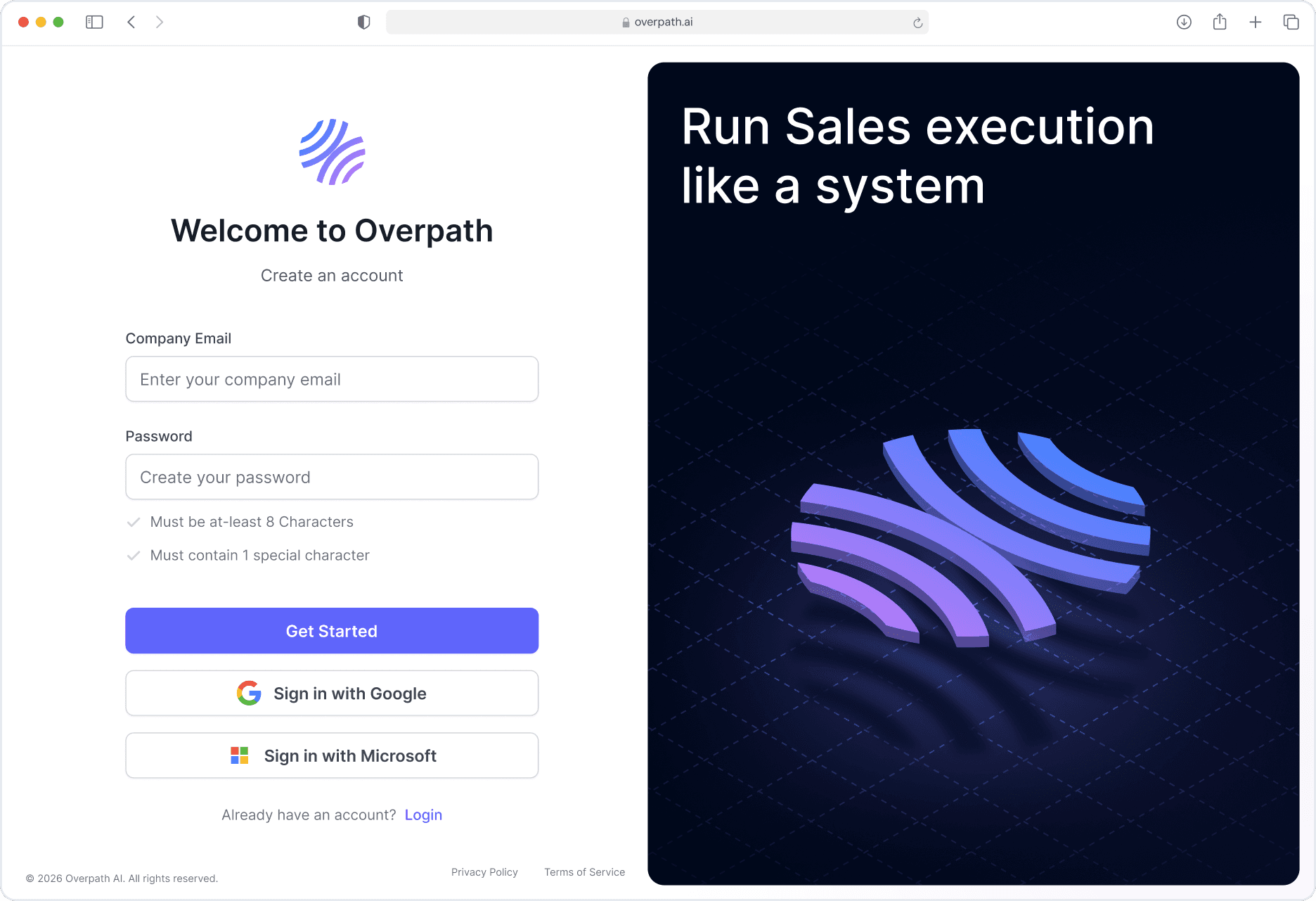
Open your browser and go to Overpath AI.
Either Sign in using your Google / Microsoft account or with your email.
Step 2:
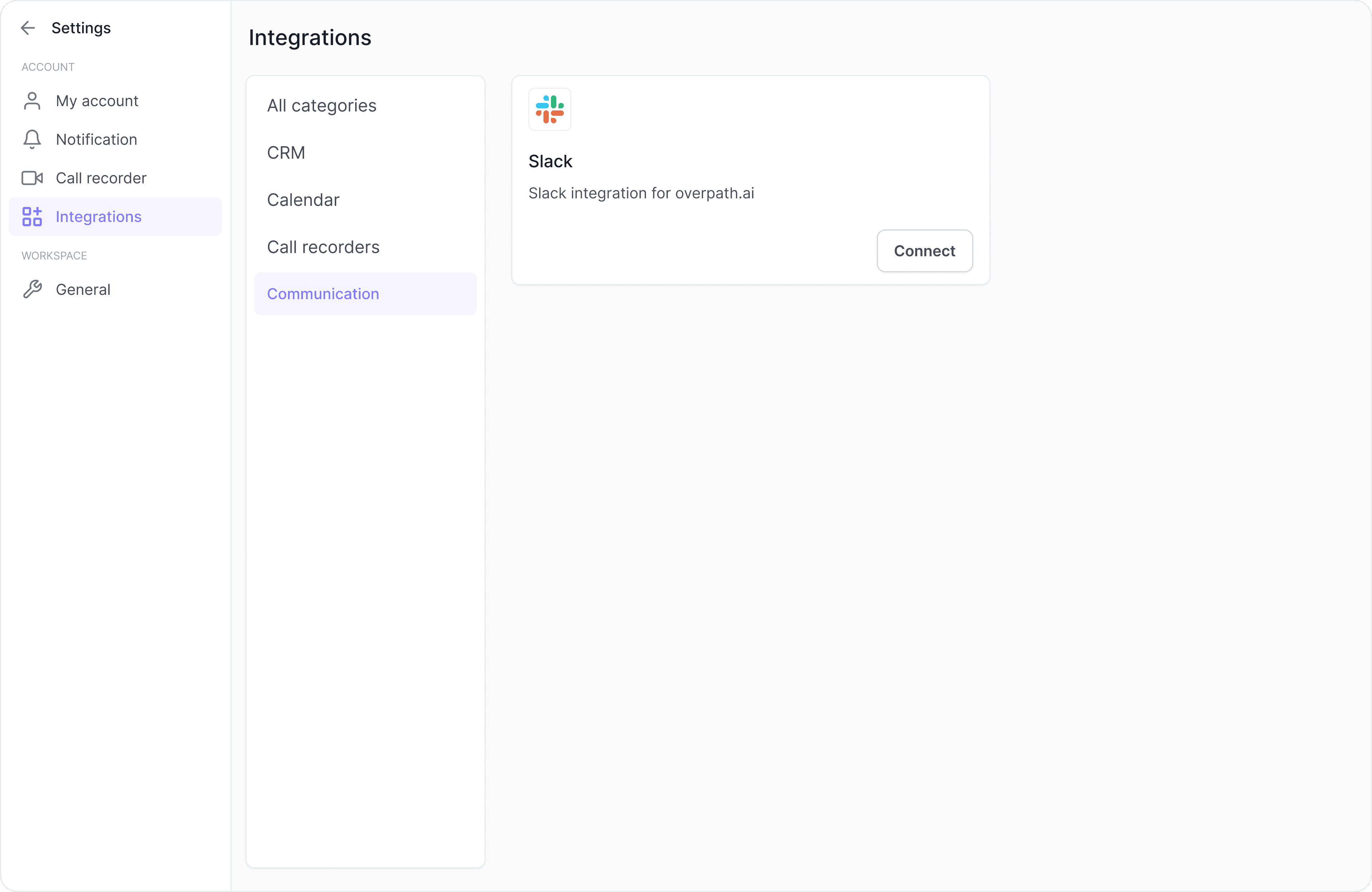
Navigate to Settings → Integrations.
Navigation to communications and click Connect Slack
Step 3:
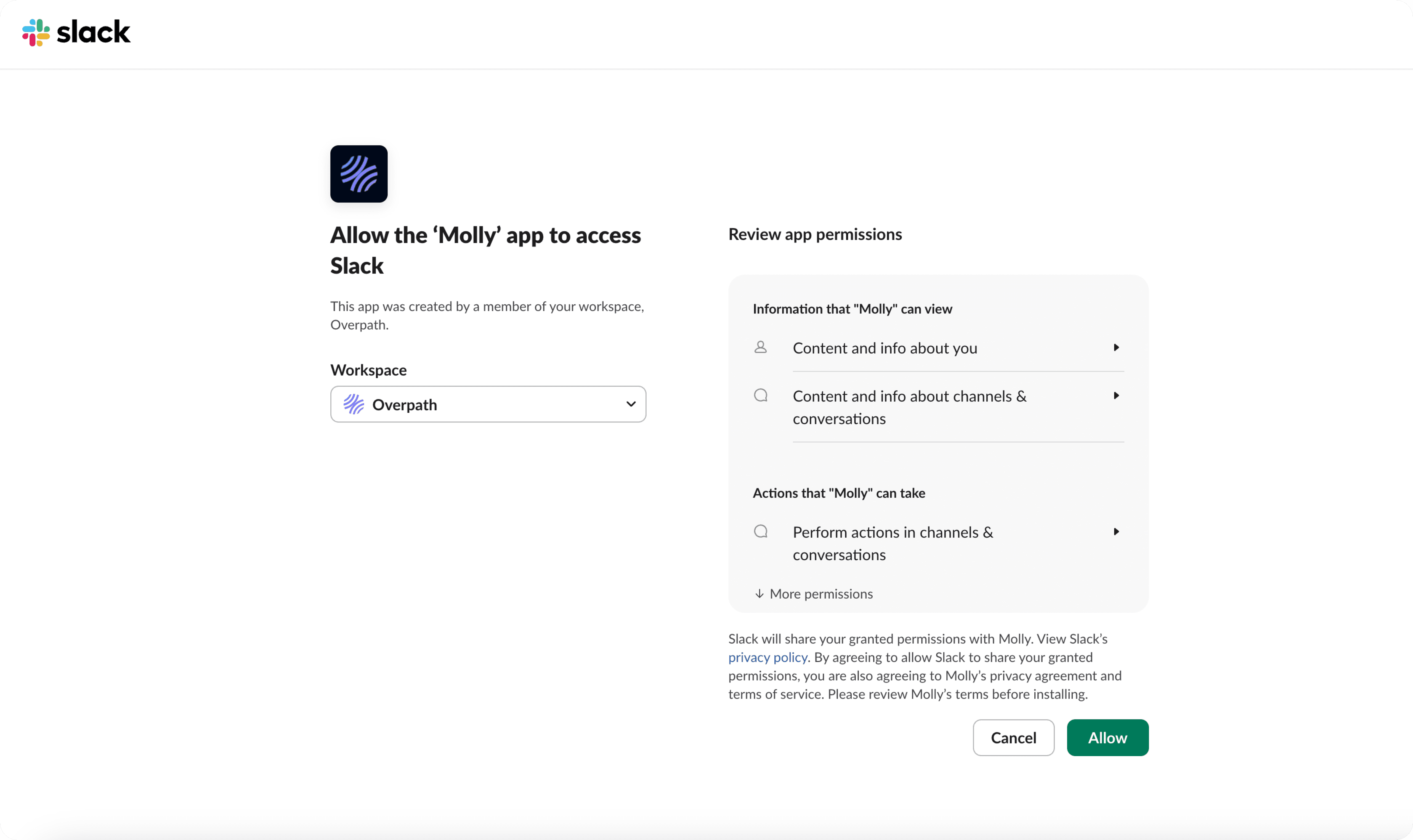
You’ll be redirected to Slack to authorize the app.
Select your workspace and click Allow
Pathway 2:
If you don't see Molly in your Slack workspace

Once App is open you can chat with Molly to help you prep for deals, spot risks early, and close with more confidence.

Your AI sales assistant, right in Slack
Mention @Molly in any channel to get instant deal updates, MEDDPICC/MEDDIC/CHAMP coaching, and next-step recommendations - drawn from your CRM, calls, and email, without leaving Slack.
AI-generated insights may not always be fully accurate or complete; always verify critical details before making decisions.
If you run into issues:
Make sure you have permission to install apps in your Slack workspace (Workspace Admin or Owner access).
Log out and log back into both Overpath AI and Slack.
Clear your browser cache and try again.
Still stuck? Reach out to us at support@overpath.ai.


